Restoring Remote Desktop (RDP) connectivity to an Azure VM after a user lockout
This article applies to the following products:
Sometimes, accidental changes by users to the rules of the above apps can affect RDP
connectivity and prevent VM access, resulting in user lockouts. The following are the
steps to restore RDP connectivity to VMs in Azure.
1. Connect to a VM via Serial Console
Refer to
Azure Serial Console for Windows
for details.
-
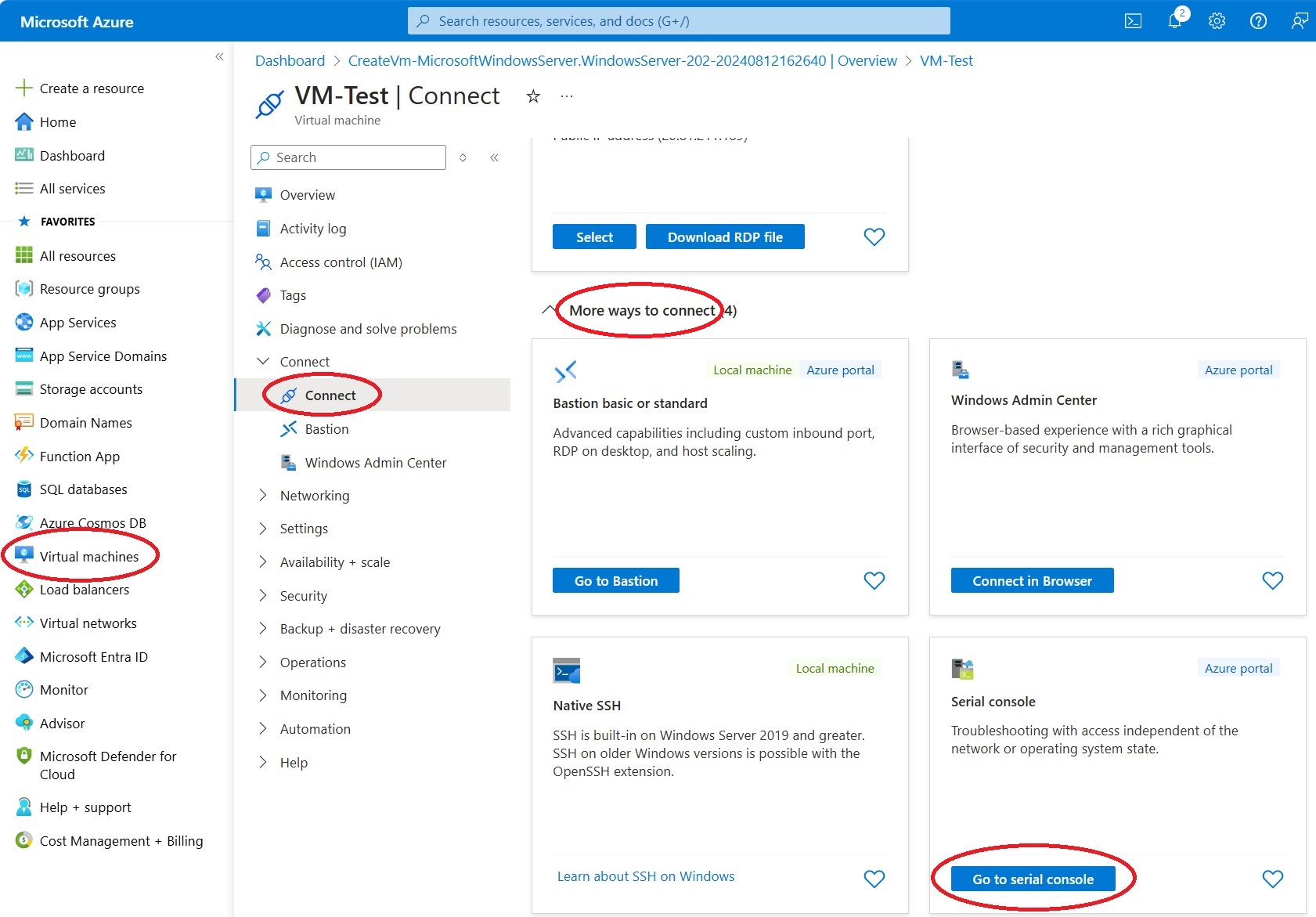
In Azure, navigate via the menu to Virtual Machines -> name-of-the-VM
-> Connect -> Connect.
- On the right side, expand More ways to connect.
-
Then, click on Go to serial console.
2. Start PowerShell
Refer to
Use CMD or PowerShell in Serial Console
for details.
-
Create a channel with a CMD instance using the command:
cmd.exe
-
Activate the channel with the CMD instance using the command:
ch -si 1
-
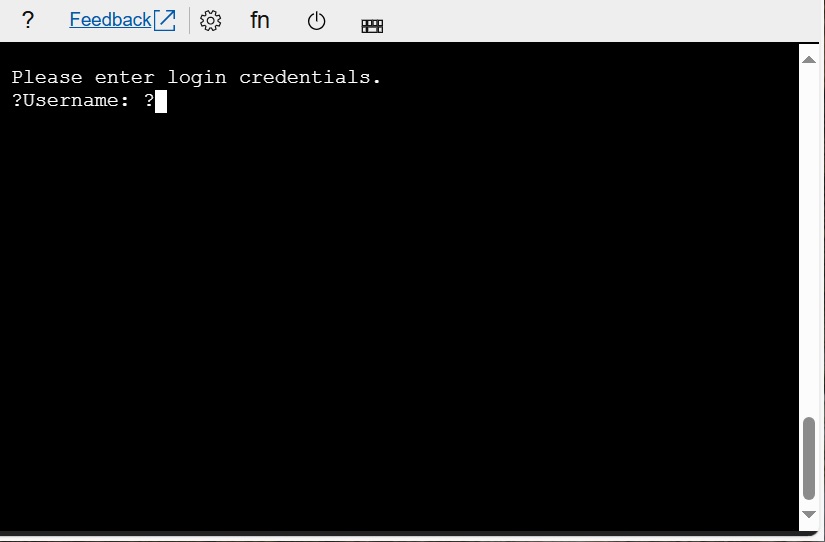
On the updated screen, enter the user credentials.
-
Start PowerShell with the command:
Powershell.exe
3. Unbind (disable) "Verigio Filter" from a network adapter
-
Get the list of network adapters by entering:
Get-NetAdapter
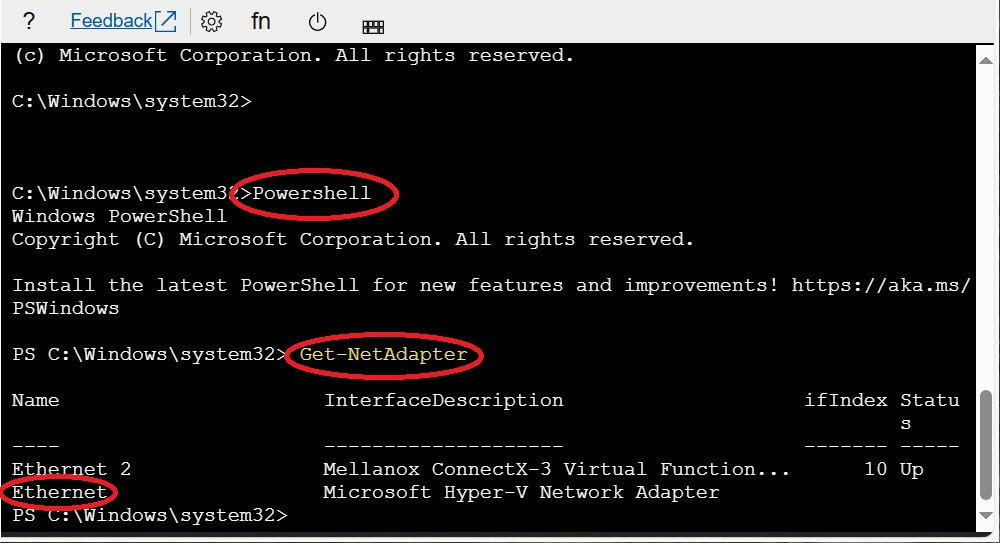
Notice the name Ethernet for the Microsoft Hyper-V Network Adapter interface.
-
The component ID of the Verigio Filter driver is always ms_verigio. To
unbind Verigio Filter from the Ethernet adapter, enter the command:
Set-NetAdapterBinding -Name "Ethernet"
-ComponentID ms_verigio -Enabled $False
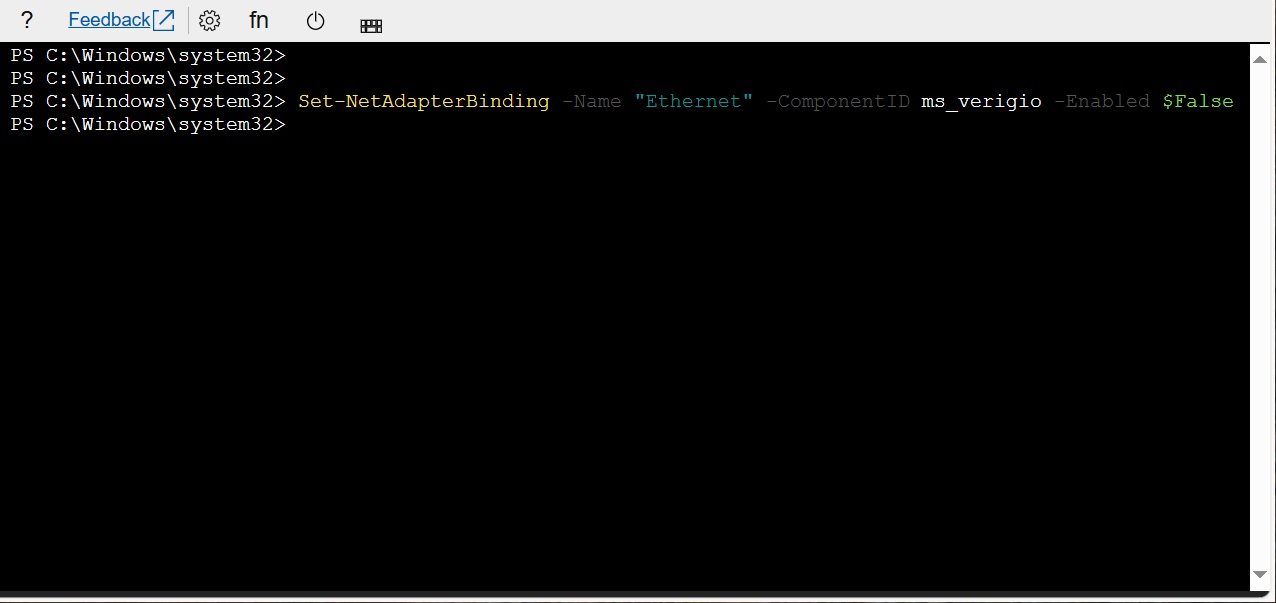
After performing all of the above, the Verigio Filter driver will no longer be
filtering network traffic for the Ethernet network adapter. As a result, Remote
Desktop connectivity will be back to normal.
4. Connect to the VM via Remote Desktop (RDP) and fix any necessary app rules
Most apps that use Verigio Filter do not track its bindings to network adapters.
When Verigio Filter is unbound (disabled) from an adapter, those apps still
operate as usual and allow changes to their rules and settings. However, those updated
rules do not affect the actual network traffic.
5. Bind (enable) "Verigio Filter" to a network adapter
-
To enable the Verigio Filter driver for the Ethernet adapter, enter the
command:
Set-NetAdapterBinding -Name "Ethernet"
-ComponentID ms_verigio -Enabled $True
Last updated: Oct 16, 2025.

 Shopping Cart

 Multi Port Forwarder
 DNS Proxywall
 Geo Firewall
 Geo Router
 Virtual Network Hub
